AI Christmas photo prompts to copy
Twelve free prompts for the AI Christmas photo trend. Upload your photo to ChatGPT, Gemini or any AI photo editor, paste a prompt and change the words in brackets. For Santa in a photo of your own room, there is a ready-made tool at the end.
Santa in a photo of your own roomThe elf cam's night camera look is free. Santa in your own room: one free preview a day; the kit is $7.99, one payment.
The prompts
1. Christmas pajama family portrait
Turn this photo into a Christmas family portrait: everyone in matching [red plaid] pajamas, sitting in front of a decorated tree with warm string lights, soft evening light. Keep every face exactly as it is. Photorealistic.
2. Candy cane studio portrait
Make this a studio portrait in front of a red and white candy cane striped backdrop with soft studio light. Keep the face, hair and expression exactly the same.
3. Vintage Christmas card
Turn this photo into a 1950s Christmas card: soft film grain, warm faded colors, a snowy window behind, and the words Merry Christmas from the [Family name] in red script at the top.
4. Snow globe
Put the people in this photo inside a snow globe on a wooden table, with falling snow and a tiny snowy village behind them. Keep their faces the same.
5. Pet in a Santa hat
Put a small red Santa hat on the [dog] in this photo and add soft out of focus Christmas tree lights behind it. Keep the animal exactly as it is.
6. Gingerbread house
Turn the house in this photo into a gingerbread house with white icing on the roof, candy windows and gumdrops along the path. Same shape and angle.
7. Christmas sweater portrait
Dress the person in this photo in a colorful knitted Christmas sweater with snowflakes and reindeer, no logos. Same pose, face and background.
8. Christmas morning by the tree
Make this room look like Christmas morning: a decorated tree in the corner, wrapped presents under it and soft morning light through the window. Keep the people and the layout of the room.
9. Child's drawing to card
Turn this child's drawing into a Christmas card illustration in the same style and colors, with falling snow and a gold star added at the top.
10. Snowy cabin porch
Place the people in this photo on the porch of a snowy log cabin at dusk, with warm lit windows and a wreath on the door. Keep their faces and clothes.
11. Santa caught on a home security camera
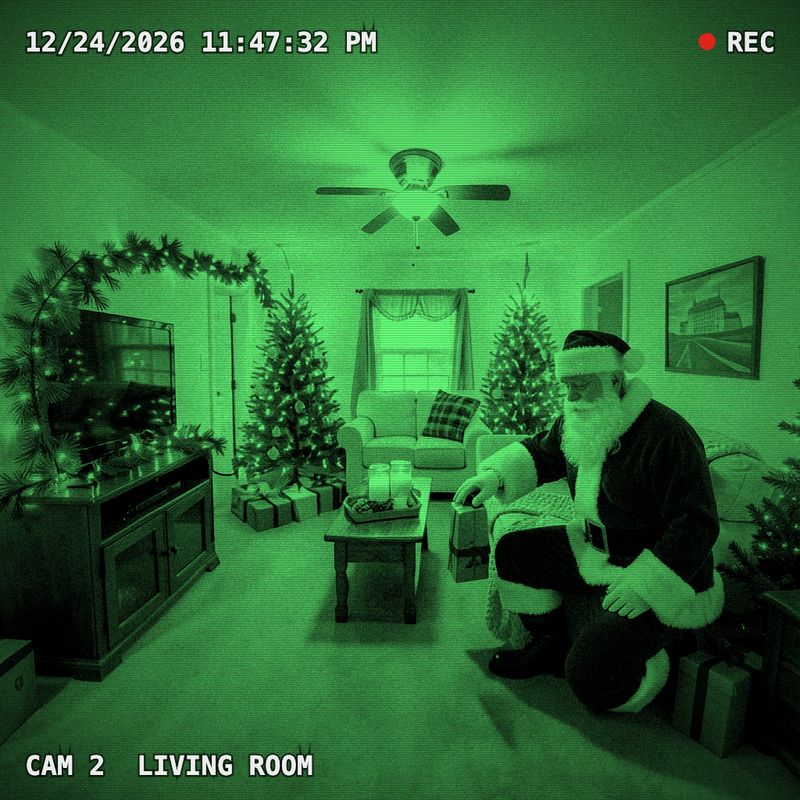
Add Santa Claus to this photo of my living room, kneeling by the tree with a wrapped present, then make it look like a black and white night security camera frame with the timestamp 12-24 11:47 PM.
Or do it in two taps with our Santa kit12. Elf caught on camera
Make this photo of our toy elf look like a frame from a night security camera: black and white infrared, grain, a timestamp in the corner and a red motion box around the elf.
Our free elf cam does this on your phone, no AITips that make the prompts work
- Say what must not change. Keep every face exactly as it is saves most portraits.
- Change one thing at a time; ask for fixes in a second message instead of a longer first prompt.
- Start from a sharp, well lit photo at full size, not a screenshot.
- Read the app's privacy terms before you upload photos of your children.
More
- Elf cam: your elf caught on camera
- Santa in a photo of your own room
- Elf ideas: 24 easy nights until Christmas Eve
- AI Santa photo in your own room
- How to catch Santa on camera
- Santa caught on camera, in your own living room
- Free Nice List certificate with your child's name
- Free letter from Santa, printable, with your child's name